See how he lifted me like small bread – Afeez Owo cries out over what Dimeji Lateef did in hilarious video – Madailygist
Articles - World
Mark Wahlberg’s Daughter Does Spot-On, Hilarious Impression Of Him
Mark Wahlberg is celebrating a rite of passage for many parents: getting roasted by your teen.
The “Father Stu” star shared a video on Instagram of his 13-year-old daughter, Grace, doing a playful impression of him. In the video, she takes a jab at his famous early-morning workout regimen, all while modeling his fitness clothing line.
Grace is clad in a hat, sweatshirt, and sneakers from Wahlberg’s Municipal Sport Utility Gear clothing line and shorts from his F45 global fitness company. She also is standing next to a tub of his Performance Inspired supplements in the kitchen.
“Municipal from head to toe,” she says, looking like her dad in full promotion mode while pointing to each item.
“The new Municipal shoes, shorts. Municipal, F45, the sweatshirt, hat, and Performance Inspired.”
She can’t help but laugh as she picks up the tub of protein.
“Performance Inspired,” she says. “Inspired to be better.”
She then ends with some vintage Wahlberg advice. Her dad is open about his religious faith and maniacally dedicated to his fitness regimen, which he said at one point began at 2 a.m. every day.
“Stay prayed up, make your protein shakes,” she says.
Grace then closes with one final joke referencing Wahlberg’s workout routine. “What time is it?” she says while checking her watch. “Oh, 8 a.m. Gotta go to bed.”
Grace is the youngest of Wahlberg’s four children with wife Rhea Durham. They also share Ella, 19, Michael, 17, and Brendan, 14.
Wahlberg also had some fun with Grace in December when he posted a throwback photo of himself with long hair alongside a picture of his youngest, asking if the two looked alike.
Emi Uses Tiktok To Spread Joy And Smile
Akenesi Emi’s goal of bringing joy to someone’s day through her TikTok videos has quickly earned her more than 400,000 followers in just two months….
My N420,000 teeth wants to kill me – Portable struggles to speak after getting new grills, shares hilarious video – AkPraise
Portable, has become the center of attention after sharing a hilarious video of himself struggling to speak clearly after acquiring a new set of grills.
Every AirPods user should try this crazy hidden feature
iPhone users who also own Apple’s AirPods have plenty of iPhone tricks to discover once they get their first pair. But most of them concern the regular audio experience, whether listening to audio content or talking on the phone. However, there’s a great iPhone accessibility called Sound Recognition that could serve AirPods users in addition to the target audience.
As we’ve explained before, Sound Recognition is a hidden iPhone feature that can help people who are deaf or suffer from hearing issues keep tabs on important sounds around them. Maybe it’s a smoke alarm going off at home or a certain noise an animal makes. The iPhone can listen to those sounds and deliver a notification to warn you of the event.
The same accessibility feature works well with people who do not have hearing issues. But they might wear AirPods or other headphones that might prevent them from hearing the different background sounds around them.
How to enable Sound Recognition on iPhone
Sound Recognition is a feature that Apple built into iOS since iOS 14. You’ll find it in the Accessibility menu after you load up the Settings app.
Enable the feature and then tap the Sounds menu to customize the kind of sounds you’ll want to receive alerts for. Select all the sounds you want your iPhone to pay attention to and send out notifications.
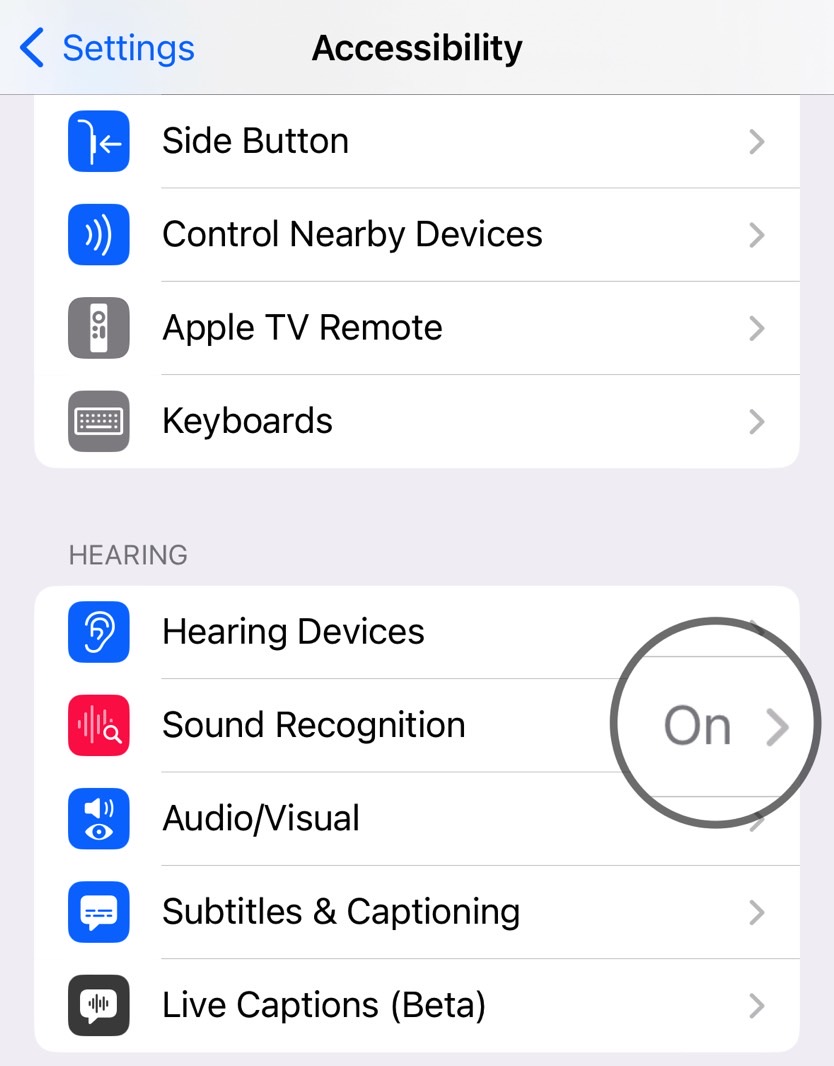
Again, this feature is great to have around if you have hearing problems. But it also works just as well if you wear AirPods a lot while at home. Especially models that support noise cancellation. You won’t have to worry about missing specific sounds around you, like babies crying, alarms, appliances, or pets.
How to add Sound Recognition to Control Center
To access the Sound Recognition feature easier, you’ll want to add it to Control Center on iPhone.
Go back to the Settings app, choose the Control Center menu, and tap the + sign next to Sound Recognition.
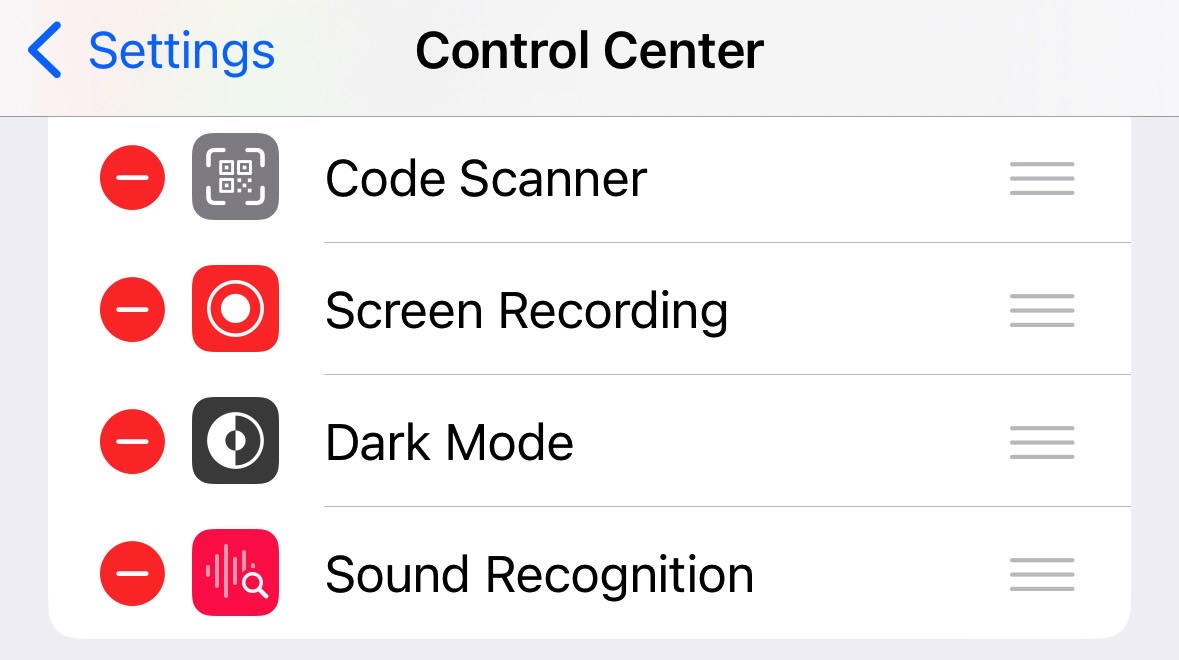
This will place a Sound Recognition shortcut inside the Control Center, which will be useful for your AirPods Sound Recognition experience.
Tap the shortcut to quickly enable or disable all the sounds you want the iPhone to listen to while minding your business. Rinse and repeat every time you are at home and wearing AirPods.
As handy as this feature might be, you might not want to use it always. If you’re not wearing your AirPods, you’ll likely hear most of those sounds. And you won’t want a constant notifications barrage. That’s why the Control Center shortcut is useful for quickly managing the Sound Recognition experience.
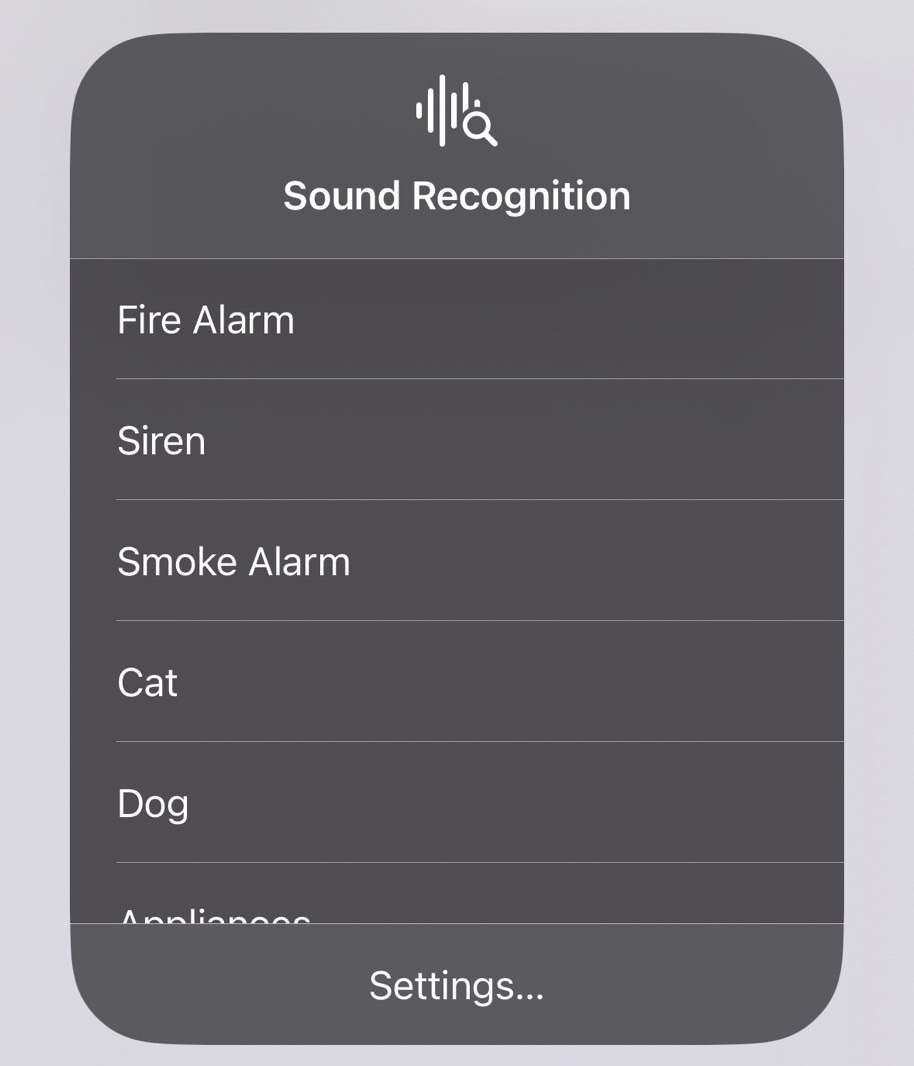
Also, remember that the feature is only as good as your iPhone’s ability to catch those sounds. You can use the Sound Recognition tool to train the iPhone for custom sounds and improve its reliability if you’re on iOS 16. We’ve covered that in detail at this link.
Once you’ve configured your iPhone, you’ll be one tap away from ensuring you’re on top of all the noises going off at home. While we’re focusing on the AirPods in this guide, the feature works just as well if you’re using other wired or wireless earphones with your iPhone.